
 September 21, 2026 · Expense Manager
How to manage monthly expenses and save more
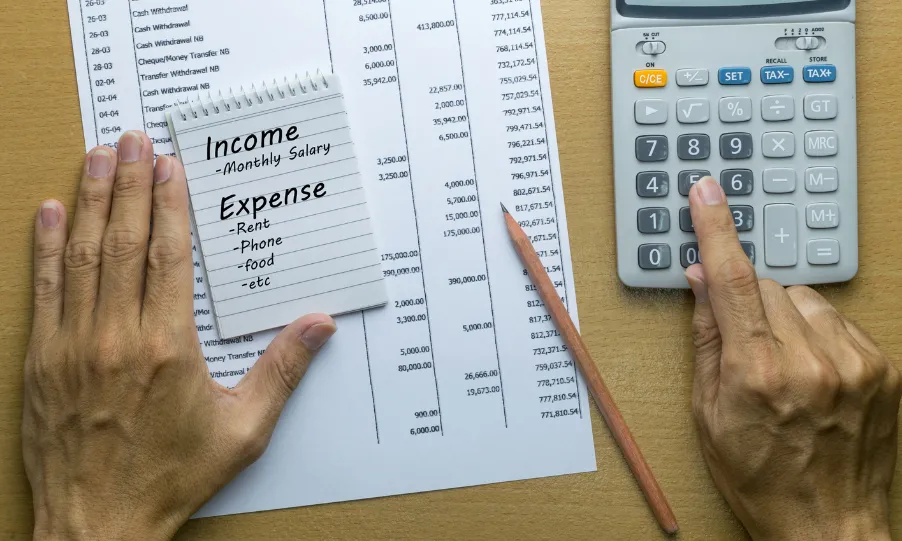
Learning how to manage monthly expenses is not simply about cutting spending.
It is about creating a repeatable system that helps you understand how much money comes in, where it goes, what needs to be paid first and how much can realistically be saved.
A practical monthly expense-management system looks like this:
Income → Fixed expenses → Savings → Flexible spending → Weekly review → Month-end adjustment
The goal is not to make your spending perfect.
The goal is to make sure your money is being used intentionally rather than reaching the end of the month and wondering where it went.
For most people, effective monthly expense management starts with seven basic actions:
Calculate your real monthly income.
List fixed expenses.
Track variable spending.
Plan for irregular costs.
Create realistic category limits.
Set aside money for savings.
Review and adjust every month.
This guide explains each step in detail.
Quick summary: How to manage monthly expenses
To manage monthly expenses effectively:
calculate your actual take-home income
identify fixed and variable expenses
track every payment method
separate needs from wants
create realistic category budgets
plan annual and irregular costs monthly
make savings part of the budget
monitor variable spending weekly
review subscriptions and recurring charges
compare planned versus actual spending
use each month’s results to improve the next month’s budget
SEBI’s guidance on managing income and expenses follows the same basic principles: create a budget, track spending, prioritize essential expenses, build emergency savings and allocate part of your income toward future financial goals. SEBI’s guidance on managing income and expenses
What does managing monthly expenses mean?
Managing monthly expenses means planning, tracking and reviewing how your income is used throughout the month so that essential bills are covered, unnecessary overspending is reduced and money remains available for savings and financial goals.
It involves more than recording transactions.
Good monthly expense management combines:
Planning + tracking + controlling + reviewing
For example:
A budget tells you that you plan to spend ₹8,000 on groceries.
An expense tracker tells you that you actually spent ₹10,500.
Expense management is what happens next.
You identify why spending increased and decide whether to:
change your behavior
increase the budget
reduce another category
accept that the higher amount was temporary
That feedback loop is what makes a monthly budget useful.
Why is managing monthly expenses important?
Monthly expense management gives you visibility into how your money behaves.
Without that visibility, it becomes difficult to answer basic questions such as:
How much do I spend every month?
How much of my income is already committed?
Which categories consume the most money?
Am I spending more than I earn?
Why am I unable to save?
Which recurring expenses could be reduced?
How much can I realistically save?
Can I afford another EMI or subscription?
Why does my account balance fall faster than expected?
A budget by itself cannot answer all of these questions.
You also need actual spending data.
If you are not already recording expenses consistently, start with the guide on how to track daily expenses on your phone.
Step 1: Calculate your real monthly income
Start with the money that is actually available to spend.
For salaried employees, use your take-home salary, not CTC or gross salary.
Your monthly income may include:
salary
freelance income
business income
commissions
rental income
pension
allowances
other reliable income
Suppose your salary after deductions is:
₹65,000 per month
That is your budgeting starting point.
Do not build a monthly expense plan around income that never reaches your account.
What if your income changes every month?
Freelancers, consultants and business owners may not have predictable monthly income.
In that situation, review several months and calculate:
average income
lowest normal income month
essential monthly expenses
Avoid budgeting based only on your best month.
If your income during the last six months was:
| Month | Income |
|---|---|
| January | ₹55,000 |
| February | ₹70,000 |
| March | ₹48,000 |
| April | ₹82,000 |
| May | ₹60,000 |
| June | ₹52,000 |
your spending commitments should not automatically be designed around the ₹82,000 month.
A more conservative baseline can make variable-income budgeting easier to sustain.
Step 2: List your fixed monthly expenses
Fixed expenses are costs that are relatively predictable.
Typical examples include:
rent
home loan EMI
vehicle EMI
school fees
insurance payments
internet
mobile plan
subscriptions
loan repayments
domestic help
recurring memberships
Create a simple list.
For example:
| Fixed expense | Monthly amount |
|---|---|
| Rent | ₹15,000 |
| Vehicle EMI | ₹6,000 |
| Internet/mobile | ₹1,500 |
| Insurance allocation | ₹2,000 |
| Subscriptions | ₹1,000 |
| Other fixed commitments | ₹2,500 |
| Total | ₹28,000 |
If monthly income is ₹65,000, you already know:
₹28,000 of ₹65,000 is committed before variable spending begins.
That gives you a much clearer view of what is actually available.
Step 3: Identify your variable expenses
Variable expenses change from month to month.
Common examples include:
groceries
dining
food delivery
fuel
transport
shopping
entertainment
healthcare
personal care
travel
miscellaneous purchases
Variable expenses are where many budgets become difficult to control.
A budget may say:
Food: ₹7,000
But unless you track actual purchases, you may finish the month at:
₹10,500
without noticing when the increase occurred.
That is why a daily expense tracker can be useful.
Instead of relying on memory, record spending as it happens.
Step 4: Track every payment method
A common mistake is checking only one bank account.
Modern spending can be spread across:
cash
UPI
debit cards
credit cards
digital wallets
bank transfers
automatic debits
Suppose you spend:
₹8,000 through UPI
₹4,000 using a credit card
₹2,000 in cash
Your monthly spending is:
₹14,000
not just the ₹8,000 visible in the payment method you check most often.
A complete spending tracker should capture all meaningful transactions.
Step 5: Separate needs, wants and financial commitments
Not every expense has the same priority.
SEBI’s financial-literacy guidance recommends understanding the difference between needs, wants and desires when prioritizing spending. SEBI’s guide to needs, wants and desires
A useful structure is:
Needs
Essential expenses such as:
housing
basic food
healthcare
utilities
necessary transportation
Financial commitments
Payments such as:
EMIs
insurance
debt repayments
school fees
Wants
Examples might include:
dining out
entertainment
optional subscriptions
shopping
vacations
Financial goals
Money allocated toward:
emergency savings
home purchase
education
travel
debt reduction
retirement
The purpose is not to label every enjoyable purchase as bad.
It is to understand which expenses have flexibility when your budget becomes tight.
Step 6: Create a realistic monthly budget
Once you understand your income and historical spending, create a plan.
Suppose your take-home income is:
₹65,000
A monthly budget might look like this:
| Category | Budget |
|---|---|
| Housing | ₹15,000 |
| Groceries | ₹8,000 |
| Transport | ₹5,000 |
| Utilities | ₹4,000 |
| EMI/debt | ₹6,000 |
| Healthcare | ₹2,000 |
| Shopping | ₹3,000 |
| Entertainment/dining | ₹4,000 |
| Savings | ₹10,000 |
| Other expenses | ₹8,000 |
| Total | ₹65,000 |
This is an illustrative example.
Your budget may be very different.
The important rule is:
Build your budget around actual spending, not ideal spending.
If you usually spend ₹8,000 on groceries, setting a ₹3,000 grocery budget probably will not work without a major lifestyle change.
Start realistically and improve gradually.
SEBI defines budgeting as planning how money will be spent and highlights its role in controlling expenses, saving, reducing debt and working toward financial goals. SEBI’s financial goals and budgeting guidance
Step 7: Make savings part of the monthly expense plan
One of the biggest improvements you can make is treating savings as planned rather than accidental.
Many people use this sequence:
Income → spending → save whatever remains
The problem is that discretionary spending tends to expand.
A better approach is:
Income → essentials → planned savings → controlled discretionary spending
This does not mean saving while ignoring food, housing, medicines or required debt payments.
It means giving saving a defined place.
For example:
Monthly income: ₹65,000
Savings goal: ₹7,000
You now manage the remaining:
₹58,000
around your other priorities.
For a deeper process, see how to save money every month once that guide is published.
Step 8: Divide variable spending into weekly limits
Monthly budgets can become difficult because the month feels long.
Suppose you allocate:
₹8,000 for dining, shopping and entertainment
If you spend ₹6,500 during the first ten days, the rest of the month becomes difficult.
A weekly guide can make spending easier to monitor.
For example:
Monthly flexible budget:
₹8,000
Approximate weekly guide:
₹2,000 per week
This does not need to be exact.
Some weeks will naturally cost more.
The purpose is to catch overspending before the final week.
Current monthly-budget competitors increasingly recommend this type of mid-month or weekly correction because waiting until month-end leaves little opportunity to change behavior.
Step 9: Plan irregular expenses monthly
Some of the biggest budget problems come from expenses that are predictable but not monthly.
Examples include:
annual insurance
vehicle servicing
school fees
annual subscriptions
festivals
gifts
planned travel
property expenses
Suppose your annual insurance premium is:
₹24,000
Instead of suddenly finding ₹24,000 when the bill arrives:
₹24,000 ÷ 12 = ₹2,000
Set aside approximately ₹2,000 each month.
This turns a large annual cost into a manageable monthly provision.
Predictable expenses are not emergencies
There is an important distinction.
Annual vehicle insurance: predictable.
Unexpected major vehicle repair: potentially an emergency.
When predictable expenses are planned separately, your emergency savings are less likely to be repeatedly depleted.
Step 10: Review subscriptions and recurring expenses
Recurring payments are easy to overlook because they happen automatically.
Review items such as:
streaming platforms
cloud storage
software
gym memberships
apps
newsletters
premium memberships
recurring delivery plans
Create three groups:
Keep
Downgrade
Cancel
Ask:
Would I pay for this again today?
If the answer is no, the expense deserves review.
Suppose you identify:
₹299 streaming service
₹499 unused software
₹599 membership
₹199 storage service
Total:
₹1,596 per month
Annual cost:
₹19,152
Recurring expenses deserve attention because small monthly amounts become larger annual numbers.
Step 11: Watch small digital payments
Small transactions can disappear into UPI and card activity.
For example:
Coffee: ₹150
Snack: ₹120
Food delivery: ₹450
Taxi: ₹300
Impulse purchase: ₹500
One day:
₹1,520
Repeated several times, these transactions can materially affect the monthly budget.
You do not need to stop every small purchase.
You need to see the total.
This is where an expense tracker or spending tracker becomes more useful than memory.
Step 12: Create category limits for the expenses you actually need to control
You do not necessarily need limits for every category.
Some costs are already fixed.
Focus budget limits on categories where spending varies.
For example:
| Category | Monthly limit |
|---|---|
| Dining | ₹3,000 |
| Shopping | ₹3,000 |
| Entertainment | ₹2,000 |
| Personal care | ₹1,500 |
| Miscellaneous | ₹2,000 |
Then track actual spending against each limit.
A good budget tracker turns the question from:
“Did I spend too much?”
into:
“I have ₹800 remaining in my dining budget this month.”
That is much more actionable.
Step 13: Review your expenses every week
Do not wait until the final day of the month.
A 5–10 minute weekly review can help you catch problems while there is still time to adjust.
Review:
total spending
remaining budget
highest spending categories
upcoming bills
unusual purchases
subscriptions
savings progress
For example:
Your monthly dining budget:
₹4,000
After two weeks:
₹3,200 spent
You now know that you have:
₹800 remaining
Without a mid-month review, you may discover the problem only after spending ₹6,000.
Step 14: Compare planned vs actual spending
At the end of the month, compare your budget with reality.
For example:
| Category | Budget | Actual | Difference |
|---|---|---|---|
| Groceries | ₹8,000 | ₹8,700 | +₹700 |
| Transport | ₹5,000 | ₹4,200 | -₹800 |
| Dining | ₹3,000 | ₹5,000 | +₹2,000 |
| Shopping | ₹3,000 | ₹2,500 | -₹500 |
| Savings | ₹8,000 | ₹6,500 | -₹1,500 |
This tells you more than a list of transactions.
You can now ask:
Why did dining increase?
Maybe:
more social events occurred
food delivery increased
the original budget was unrealistic
The correct response depends on the reason.
Step 15: Use this month’s numbers to improve next month’s budget
A budget should evolve.
Your first monthly budget will probably not be perfect.
That is normal.
Suppose you budget:
Groceries: ₹6,000
But actual spending for three consecutive months is:
₹7,900
₹8,200
₹8,000
You have two possibilities.
Option 1: Your spending can realistically be reduced
Create a plan to lower it.
Option 2: ₹6,000 was unrealistic
Adjust the budget closer to reality.
An accurate budget is more useful than an impressive budget you never follow.
Consumer.gov similarly recommends using each month’s actual results to plan the following month’s budget. Consumer.gov’s monthly budgeting guidance
Step 16: Build an emergency fund
Unexpected costs can disrupt even a well-managed budget.
Examples include:
urgent healthcare
job loss
essential home repairs
major vehicle repairs
temporary income loss
An emergency fund provides financial room for these situations.
You do not need to build a large amount immediately.
Start in stages.
For example:
Stage 1: ₹10,000
Stage 2: ₹25,000
Stage 3: ₹50,000
Longer-term target: based on your actual expenses and income stability
SEBI also recommends building an emergency fund as part of managing income and expenses. SEBI’s income and expense guidance
Step 17: Manage debt payments within the monthly plan
Debt should not sit outside your budget.
Record:
EMI
credit-card payments
personal loans
vehicle loans
other borrowing
For each debt, understand:
outstanding balance
interest rate
due date
minimum or required payment
A monthly expense plan should account for required repayments before allocating large amounts to optional spending.
If debt repayments are consuming too much of your income, the solution may require a broader debt-management strategy rather than simply cutting groceries or entertainment.
How to manage monthly expenses with a ₹60,000 salary
Consider this illustrative example.
Monthly take-home income:
₹60,000
Current spending:
| Category | Current amount |
|---|---|
| Rent | ₹15,000 |
| Groceries | ₹9,000 |
| Transport | ₹5,000 |
| Utilities | ₹4,000 |
| EMI | ₹7,000 |
| Dining | ₹5,000 |
| Shopping | ₹4,000 |
| Subscriptions | ₹2,000 |
| Miscellaneous | ₹5,000 |
| Savings | ₹4,000 |
| Total | ₹60,000 |
Suppose the goal is to increase savings from:
₹4,000 → ₹8,000
The person needs to create:
₹4,000 of additional monthly capacity
After reviewing expenses, they decide to:
Reduce dining by ₹1,500
Reduce shopping by ₹1,000
Cancel unused subscriptions worth ₹500
Reduce miscellaneous spending by ₹1,000
Total reduction:
₹4,000
New savings:
₹8,000
The point is not that everybody should cut these categories.
The lesson is:
Find the gap between your current position and your goal, then decide which changes are realistic.
How to manage monthly household expenses
Households often have more complicated expenses because several people may spend from the same income pool.
A household expense tracker can organize:
groceries
rent or mortgage
electricity
internet
school expenses
healthcare
transportation
subscriptions
household purchases
entertainment
A household budget should also identify:
Who pays what?
For example:
Partner A:
rent
insurance
Partner B:
groceries
utilities
Shared account:
household purchases
entertainment
The exact structure is less important than ensuring everyone understands the system.
Expense Manager’s current Android app supports shared accounts for partners, families, roommates and travel groups, which can help centralize transactions when several people contribute to the same budget.
How to manage expenses with irregular income
Freelancers and self-employed professionals need a more flexible approach.
Start with your essential monthly expenses.
For example:
Rent: ₹15,000
Food: ₹8,000
Utilities: ₹4,000
Transport: ₹4,000
EMI: ₹5,000
Essential baseline:
₹36,000
Then allocate variable income in priority order.
For example:
Income received → essentials → required debt → buffer → savings → discretionary spending
During high-income months, avoid immediately increasing lifestyle spending.
Part of the surplus can strengthen:
emergency reserves
low-income-month buffers
savings goals
An expense tracker for freelancers can also help separate business-related spending from personal expenses.
How Expense Manager helps you manage monthly expenses
A spreadsheet or notebook can work.
But if you want faster daily tracking, a mobile expense manager app can make the monthly process easier to maintain.
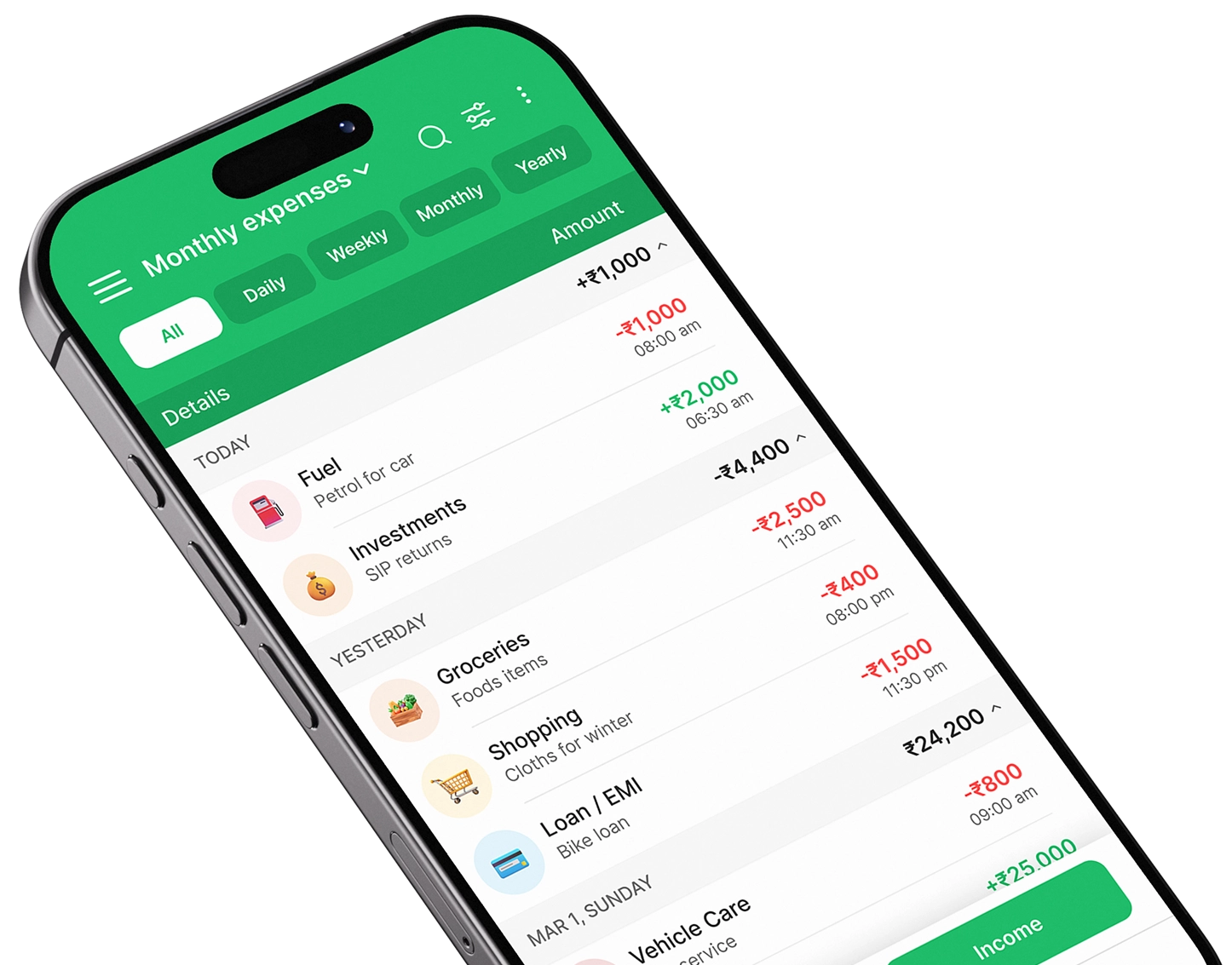
Expense Manager is an expense tracker and budget planner designed to help users record income and expenses and review where their money goes.
Its current Android listing includes features such as:
income and expense tracking
custom categories and subcategories
recurring transactions
multiple accounts
daily, weekly, monthly and yearly views
income-versus-expense charts
category breakdowns
search and filters
receipt scanning using OCR
voice transaction entry
shared accounts
offline transaction entry
PDF and Excel report exports
These current capabilities are documented in the official Google Play listing.
The practical monthly workflow becomes:
Record → Categorize → Compare → Adjust
For example:
Instead of simply thinking:
“I spent too much this month.”
your spending report may show:
Dining: ₹6,500
Shopping: ₹4,800
Subscriptions: ₹2,100
Transport: ₹5,000
Now you can decide exactly which categories deserve attention.
That is the real value of an expense tracking app: better information for better decisions.
You can also read our comparison of the best expense manager apps if you are comparing different tools.
Download Expense Manager
If you want to use your phone as an income expense tracker app, budget planner and spending tracker, Expense Manager is available for Android and iPhone.
Download Expense Manager on Google Play
Download Expense Manager on the Apple App Store
The Android listing currently identifies Expense Manager as a flexible expense tracker and budget planner and documents features including offline transaction entry, multiple accounts, recurring transactions, receipt scanning and spending reports.
The iPhone listing similarly describes income and expense tracking, multiple accounts and PDF/Excel reports.
A simple monthly expense-management routine
You do not need to spend an hour every day managing money.
Use a simple routine.
Beginning of the month
Review:
expected income
fixed bills
debt payments
savings target
irregular expenses due this month
Set category limits.
Every day
Record:
cash spending
UPI
cards
transfers
other expenses
Once a week
Review:
total spending
highest category
remaining budget
upcoming bills
flexible spending
savings progress
Middle of the month
Ask:
Am I on track?
If not, adjust while there is still time.
End of the month
Compare:
Budget vs actual spending
Then prepare the next month’s budget using what you learned.
Common monthly expense-management mistakes
Tracking expenses but never reviewing them
Recording transactions is only data collection.
Better approach: Review categories and budget performance every week and month.
Creating too many categories
A complicated system becomes difficult to maintain.
Better approach: Start simple and add detail only when useful.
Ignoring cash
Small cash purchases can create gaps in your records.
Better approach: Track every payment method.
Using unrealistic category limits
A ₹3,000 food budget does not help if you consistently need ₹8,000.
Better approach: Start from historical spending.
Treating savings as leftovers
Discretionary spending can consume the money first.
Better approach: Give savings a planned place in the budget.
Ignoring annual expenses
Annual payments repeatedly disrupt monthly budgets.
Better approach: divide predictable annual costs by 12.
Ignoring subscriptions
Automatic payments can continue unnoticed.
Better approach: review recurring expenses regularly.
Waiting until month-end to check spending
By then, it may be too late to adjust.
Better approach: perform a weekly review.
Cutting every enjoyable expense
An overly restrictive budget can be difficult to sustain.
Better approach: reduce spending selectively based on your priorities.
How can you reduce monthly expenses without sacrificing everything?
Start with categories where the financial impact is meaningful.
Review recurring costs
Cancel or downgrade services you no longer value.
Reduce food waste
Plan grocery purchases and meals.
Set limits on delivery and dining
Decide how frequently you want to spend rather than purchasing automatically.
Delay discretionary purchases
Waiting 24–48 hours can reduce impulse buying.
Compare major recurring services
Review mobile, internet, insurance and other significant contracts periodically.
Avoid unnecessary borrowing
An EMI makes an expensive purchase feel smaller each month but still creates a financial commitment.
Always consider the total cost.
How do monthly expenses affect savings?
Savings come from the relationship between income and expenses.
At the simplest level:
Savings = Income − Expenses
SEBI explains saving using this same relationship. SEBI’s explanation of saving
Suppose:
Income = ₹60,000
Expenses = ₹55,000
Savings potential:
₹5,000
If expenses fall to:
₹50,000
potential savings become:
₹10,000
That is why managing monthly expenses is closely connected to saving more.
But cutting expenses is only one approach.
Savings can also improve through:
higher income
lower debt costs
reduced recurring expenses
better planning
fewer impulse purchases
How do you know if your monthly expense management is improving?
Look for trends rather than one perfect month.
Positive signs can include:
spending regularly stays below income
you know where your money goes
fewer expenses surprise you
savings become more consistent
debt balances decline
recurring expenses are under control
you rely less on credit before payday
your budget becomes more accurate
emergency savings gradually increase
You do not need improvement in every category at once.
The goal is increasing financial control over time.
Monthly expense management checklist
Use this checklist at the beginning of each month:
| Question | Done? |
|---|---|
| Do I know my take-home income? | ☐ |
| Have I listed fixed expenses? | ☐ |
| Have I planned variable expenses? | ☐ |
| Have I included savings? | ☐ |
| Have I included debt payments? | ☐ |
| Have I planned irregular expenses? | ☐ |
| Have I checked subscriptions? | ☐ |
| Do I have category limits where needed? | ☐ |
| Am I tracking all payment methods? | ☐ |
| Have I scheduled a weekly review? | ☐ |
| Will I compare budget vs actual at month-end? | ☐ |
A simple checklist is often more useful than a complicated budgeting system you stop using.
Frequently asked questions
How can I manage my monthly expenses effectively?
Start by calculating your take-home income, listing fixed expenses and tracking variable spending. Create realistic limits for flexible categories, include savings in the budget and review spending every week rather than waiting until month-end.
What is the best way to track monthly expenses?
Use a system you can update consistently. A spreadsheet can work, but an expense tracking app can make daily transaction entry, categorization, budgeting and monthly reports more convenient.
How should I divide my monthly income?
There is no universal percentage that fits everyone. Your allocation should reflect your income, essential costs, debt, dependants, savings goals and lifestyle. Percentage-based budgeting frameworks can be starting points, not mandatory rules.
How do I manage monthly expenses and save money?
Track your actual spending first, then identify realistic reductions in flexible categories. Give savings a defined place in your monthly budget instead of depending entirely on leftover money.
How can I control unnecessary spending?
Review your biggest flexible categories, set practical limits, monitor recurring expenses and introduce a delay before non-essential purchases. Weekly reviews can help identify overspending before the end of the month.
How can I manage household expenses?
Create a shared budget covering housing, groceries, utilities, transport, healthcare and other common costs. If several people spend from the household budget, use a shared system so transactions are visible in one place.
Should I track small daily expenses?
Yes. Small purchases can become meaningful when repeated throughout the month. Tracking them gives you a more accurate view of total spending.
What is the difference between an expense tracker and a budget planner?
An expense tracker records what you actually spent. A budget planner defines what you intend to spend. Using both creates a feedback loop between your plan and real behavior.
Which app can help manage monthly expenses?
Expense Manager is an expense tracker and budget planner that supports income and expense tracking, multiple accounts, categories, reports and other budgeting features.
Get Expense Manager for Android
Get Expense Manager for iPhone
How often should I review my monthly expenses?
Record expenses regularly, perform a quick review each week and complete a deeper comparison at the end of the month. Use the results to adjust the following month’s budget.
Conclusion
Learning how to manage monthly expenses does not require a complicated financial system.
Start with the basics:
Know your income.
List fixed expenses.
Track variable spending.
Plan irregular costs.
Set realistic budgets.
Save deliberately.
Review every week.
Adjust every month.
The biggest improvement usually comes from replacing assumptions with actual numbers.
When you can see exactly how much you spend on groceries, dining, subscriptions, transport, shopping and other categories, you can decide which expenses are worth keeping and which can be reduced.
That makes saving more practical.
If you want to track those numbers from your phone, Expense Manager app can help you record income and expenses, organize transactions and review monthly spending patterns.
Download Expense Manager on Google Play
Download Expense Manager on the Apple App Store
Monthly expense management is not about spending as little as possible.
It is about knowing where your money goes and making sure enough of it remains available for the things that matter most.
Author bio
The Expense Manager editorial team creates practical educational content about expense tracking, budgeting, saving and everyday personal finance. Expense Manager is developed by Pavans Group Techsoft Private Limited.
This article provides general educational information only and does not constitute individualized financial, investment, tax or legal advice.
Take control of your finances
Download Expense Manager and start your smarter money journey today.