
 August 11, 2026 · Expense Manager
How Do I Track My Daily Expenses on My Phone?
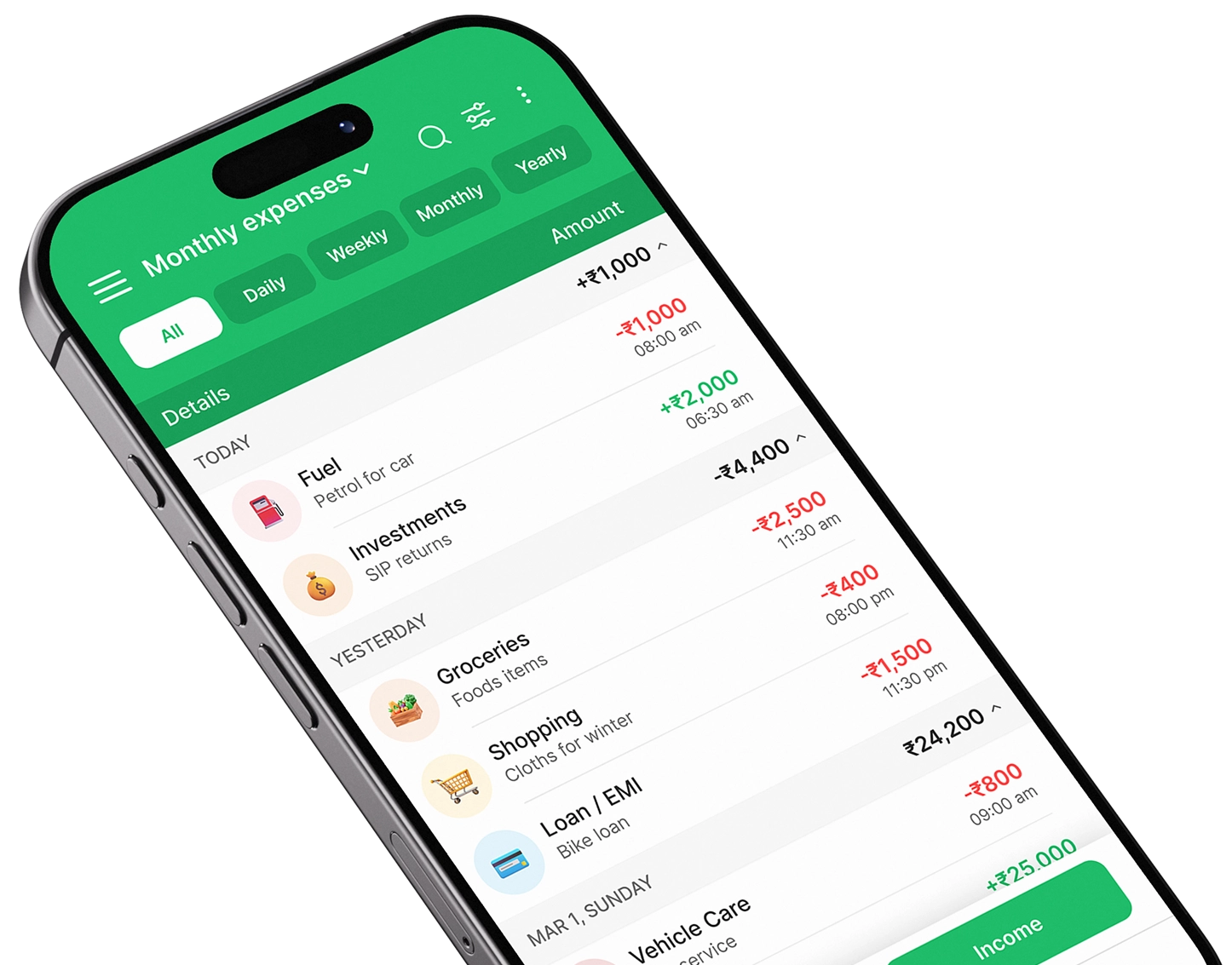
The easiest way to track your daily expenses on your phone is to use a mobile expense tracker such as Expense Manager. Download the app, add your income, record each expense by category, and review your spending charts weekly. With a few minutes of tracking each day, you can understand your spending habits and manage your budget more effectively.
Start Tracking Your Expenses with Expense Manager →
Why Should You Track Your Daily Expenses?
Small purchases can easily go unnoticed.
A coffee, quick snack, online purchase, fuel payment, subscription, or food delivery may not seem significant individually. However, several small transactions can add up to a substantial amount by the end of the month.
Daily expense tracking gives you a clear picture of where your money is going.
It can help you:
- Understand your spending habits
- Identify unnecessary expenses
- Stay within your budget
- Improve your savings
- Monitor recurring payments
- Plan future expenses
- Make better financial decisions
Instead of asking, “Where did my money go this month?”, you can check your expense records and find the answer.
How Do I Track My Daily Expenses on My Phone?
Follow these simple steps to start tracking your daily spending.
Step 1: Download an Expense Tracker App
Start by choosing an expense tracker app that makes recording transactions quick and convenient.
For everyday spending, you don’t need a complicated financial management system. Look for features such as:
- Quick expense entry
- Income tracking
- Expense categories
- Budget management
- Spending reports
- Charts and analytics
- Search and filtering
- Easy-to-use interface
Expense Manager is designed to make daily expense tracking simple from your phone.
Download Expense Manager
Get started with Expense Manager →
Step 2: Add Your Income
Once you’ve installed the app, start by recording your regular income.
This could include:
- Monthly salary
- Freelance income
- Business income
- Allowance
- Rental income
- Other regular earnings
For example, if your monthly income is ₹50,000, adding it to your expense manager gives you a starting point for planning your spending.
Knowing your income alongside your expenses gives you a more complete view of your finances.
Step 3: Record Every Expense
The most important step is to record your expenses consistently.
Whenever you spend money, enter the transaction into your phone.
For example:
| Expense | Amount | Category |
|---|---|---|
| Breakfast | ₹100 | Food |
| Auto fare | ₹80 | Transport |
| Lunch | ₹200 | Food |
| Coffee | ₹120 | Food |
| Mobile recharge | ₹299 | Bills |
| Shopping | ₹750 | Shopping |
Don’t only record large purchases.
A ₹50 or ₹100 purchase can be just as important when you’re trying to understand your total monthly spending.
A Simple Rule to Follow
Spend → Record → Categorize
Try to record the expense immediately after making the payment. This reduces the chance of forgetting transactions later.
Step 4: Categorize Your Expenses
Categorizing expenses makes your spending easier to understand.
Start with simple categories such as:
- Food
- Groceries
- Transport
- Shopping
- Bills
- Entertainment
- Healthcare
- Education
- Travel
- Subscriptions
- Rent
- Other
For example, if you spend ₹6,000 on food during a month, your expense tracker can help you see that amount clearly instead of forcing you to calculate it manually.
Don’t Overcomplicate Categories
You don’t need 30 different categories when you’re starting.
Use broad categories first and add more detail only when it provides useful information.
Step 5: Track Cash and Digital Payments
Your daily spending may come from several payment methods.
You might use:
- Cash
- UPI
- Debit cards
- Credit cards
- Mobile wallets
- Bank transfers
Make sure you record all of them.
For example, spending ₹300 through UPI and ₹200 in cash means you’ve spent ₹500. Your expense tracker should reflect the complete amount.
Tracking only bank or card transactions can give you an incomplete picture of your actual spending.
Step 6: Set a Daily or Monthly Budget
Tracking tells you what you’ve spent.
Budgeting helps you decide what you should spend.
Suppose your monthly income is ₹50,000. You could create a simple plan:
| Category | Budget |
| Rent | ₹15,000 |
| Food | ₹7,000 |
| Transport | ₹3,000 |
| Bills | ₹4,000 |
| Shopping | ₹3,000 |
| Entertainment | ₹2,000 |
| Savings | ₹10,000 |
| Other | ₹6,000 |
You can then compare your actual expenses with your planned budget.
If your food spending reaches ₹6,500 halfway through the month, you know you need to be more careful with that category.
Step 7: Review Your Spending Every Week
Recording expenses is only half the process.
You should also review them regularly.
Set aside a few minutes each week to check:
- Total spending
- Biggest expense categories
- Unnecessary purchases
- Remaining budget
- Recurring expenses
- Savings progress
For example, you might discover that food delivery or online shopping is taking up more of your budget than expected.
That insight gives you an opportunity to adjust your habits before the month ends.
How to Track Expenses on Android
If you’re specifically wondering how to track expenses on Android, the process is straightforward.
- Download an expense tracker app.
- Add your income.
- Create basic expense categories.
- Record each purchase.
- Track both cash and digital payments.
- Set a monthly budget.
- Review your spending reports.
- Adjust your spending based on the results.
The biggest advantage of using Android for expense tracking is convenience. Your phone is usually with you when you make a purchase, so you can record the transaction immediately.
How Expense Manager Can Help
Expense Manager provides a convenient way to manage everyday spending from your phone.
Instead of keeping separate notes or spreadsheets, you can organize your financial activity in one place.
You can use an expense manager to:
- Record daily expenses
- Track income
- Organize transactions
- Categorize spending
- Create budgets
- Review spending patterns
- Analyze financial reports
- Monitor your monthly expenses
The goal is to make expense tracking simple enough that you can continue doing it every day.
Track Your Daily Spending with Expense Manager →
How Much Time Does Daily Expense Tracking Take?
You don’t need to spend hours managing your finances.
For most people, recording an individual transaction takes only a few seconds.
A simple routine can look like this:
During the day: Record expenses immediately.
At night: Spend 1–2 minutes checking the day’s transactions.
Once a week: Review spending categories.
At the end of the month: Compare actual spending with your budget.
This small habit can provide valuable insights into your financial behavior.
Benefits of Using a Daily Expense Tracker
Better Spending Awareness
You can see exactly where your money is going instead of relying on memory.
Easier Budget Management
You can compare actual spending with planned spending.
Improved Savings
Identifying unnecessary expenses can help you find opportunities to save.
Better Financial Planning
Your spending history provides useful information for planning future expenses.
Less Financial Uncertainty
Knowing how much you’ve spent and how much remains can make everyday money management easier.
Common Mistakes When Tracking Daily Expenses
1. Tracking Only Large Expenses
Small purchases can add up.
Solution: Record every transaction.
2. Recording Expenses Days Later
You may forget small cash purchases.
Solution: Record expenses immediately.
3. Ignoring Cash Payments
Cash spending can disappear from your financial records.
Solution: Record cash and digital transactions together.
4. Never Reviewing Your Reports
Recording data without analyzing it limits its value.
Solution: Review your spending every week.
5. Setting Unrealistic Budgets
A budget that’s impossible to follow won’t be useful.
Solution: Base your budget on your actual spending history.
5 Simple Tips for Better Expense Tracking
- Record expenses immediately instead of relying on memory.
- Keep categories simple so tracking doesn’t become a chore.
- Review your spending weekly to catch problems early.
- Check recurring expenses such as subscriptions and memberships.
- Compare monthly spending to see whether your financial habits are improving.
Consistency matters more than perfection.
Start Tracking Your Daily Expenses Today
You don’t need complicated financial knowledge to start managing your money better.
Your phone can become a simple and practical money tracker.
Download an expense tracker, add your income, record your daily spending, organize expenses into categories, and review your reports regularly.
If you’re looking for a simple way to track personal expenses on mobile, try Expense Manager.
Take Control of Your Budget
Start Tracking Your Expenses →
Download the Expense Manager →
Frequently Asked Questions
How do I track my daily expenses on my phone?
Download an expense tracker app, add your income, record every purchase, categorize transactions, set a budget, and review your spending regularly.
What is the best way to track daily expenses?
A dedicated expense tracker app is one of the easiest methods because you can record expenses immediately and review categorized spending from your phone.
How do I track expenses on an Android phone?
Install an Android-compatible expense tracker, create spending categories, record your daily transactions, and review your budget and reports each week.
Should I track small expenses?
Yes. Small purchases can add up over time. Recording them gives you a more accurate picture of your total spending.
How often should I track my expenses?
Ideally, record every expense immediately after making the purchase. Review your spending weekly and analyze your overall budget monthly.
Can an expense tracker help me save money?
Yes. An expense tracker shows your spending patterns and can help you identify unnecessary expenses that you may be able to reduce.
Can I track cash and UPI expenses?
Yes. Record both cash and digital transactions to maintain a complete record of your daily spending.
Which app can I use to track daily expenses?
Expense Manager is designed to help users record, categorize, monitor, and analyze their everyday expenses from their phone.
Take control of your finances
Download Expense Manager and start your smarter money journey today.


You May Also Like

How to Track Daily Expenses on Phone: A Simple Guide