
 September 15, 2026 · Expense Manager
How to track business and personal expenses separately
Running a business does not mean your personal finances disappear. You may receive client payments in the morning, buy groceries in the afternoon, pay for business software in the evening and transfer money to yourself at the end of the month.
The problem starts when all of those transactions are treated as one stream of spending.
The simplest way to track business and personal expenses separately is to create a clear boundary at two levels:
- Keep business and personal money separate wherever practical, using different bank accounts, cards or wallets.
- Keep separate financial records, using distinct accounts and categories in your expense tracker.
You can still review your overall financial position in one place. The important point is that a grocery purchase should never be confused with a software subscription, client travel cost or other business expense.
Quick summary
A practical system for separating business and personal expenses looks like this:
| Area | Business | Personal |
|---|---|---|
| Bank account | Business account | Personal account |
| Card or wallet | Business-only where practical | Personal |
| Expense-tracker account | Business | Personal |
| Categories | Software, marketing, travel, supplies, etc. | Groceries, rent, entertainment, etc. |
| Receipts | Keep when required | Keep when useful |
| Review | Business reporting and bookkeeping | Household budgeting |
| Transfers between the two | Clearly identified | Clearly identified |
The goal is not necessarily to use several different apps, but to maintain separate records that can still be reviewed from one dashboard using the best expense manager apps.
Why should business and personal expenses be tracked separately?
Separating business and personal spending makes your financial records easier to understand.
Without that separation, answering basic questions becomes harder:
- How much did the business actually spend this month?
- What did you personally spend?
- Is the business profitable?
- Which payments need supporting receipts?
- Which subscriptions belong to the business?
- How much money did you transfer from the business for personal use?
- Which expenses should your accountant review?
The distinction can also matter at tax time.
For example, the U.S. Internal Revenue Service states that personal, living and family expenses generally cannot be treated as business expenses and recommends keeping separate business and personal accounts to make recordkeeping easier. Rules differ by country and business structure, so tax treatment should always be checked for your jurisdiction.
Even when tax or legal rules do not require a particular bank-account structure, clean financial separation can make budgeting, bookkeeping and business analysis considerably easier.
Separate money and separate records: they are not the same thing
This distinction is easy to miss.
Separating money
This means using different financial accounts for different purposes.
For example:
Business
- current/checking account
- business card
- business wallet
Personal
- personal savings/current account
- personal credit card
- personal wallet
This reduces the chance of mixing transactions in the first place.
Separating records
This means classifying your transactions correctly regardless of how they were paid.
Imagine you accidentally pay for a business domain renewal using your personal card.
The payment source was personal, but the underlying transaction relates to the business.
You still need to record that correctly.
That is why opening a separate business bank account is useful, but it is not a complete expense-tracking system.
You also need clear accounts, categories, supporting information and a regular review process.
How to track business and personal expenses separately
A reliable system does not need to be complicated. The following process works for freelancers, consultants, side-hustlers and small businesses.
1. Create separate business and personal accounts
Start by establishing two clear financial buckets:
Personal
and
Business
Ideally, this separation should exist both in your banking setup and inside the tool you use to track expenses.
For example, instead of recording everything under one generic account, you might create:
- Personal
- Freelance business
- Business credit card
- Cash
- Household
- Travel
Expense Manager supports multiple accounts, including separate personal and business accounts, while still allowing users to view account-wise and combined balances.
That structure allows you to keep records separate without needing a completely different application for every part of your finances.
2. Decide which payment methods belong to which account
Next, map the ways you normally pay.
For example:
| Payment method | Primary purpose |
|---|---|
| Personal debit card | Personal |
| Personal credit card | Personal |
| Business bank account | Business |
| Business card | Business |
| Cash wallet | Depends on transaction |
| Digital wallet | Personal or business based on use |
Try to avoid changing these rules frequently.
If one card is usually for business expenses, keeping it business-only reduces the number of transactions you need to investigate later.
The fewer ambiguous transactions you create, the easier your financial records become.
3. Create different expense categories for business and personal spending
Do not stop at labelling transactions simply “business” or “personal.”
Categories reveal where the money actually went.
Common personal expense categories
You might use:
- groceries
- housing
- utilities
- transport
- healthcare
- education
- entertainment
- shopping
- subscriptions
- travel
- personal care
Common business expense categories
Depending on your work, these might include:
- software and subscriptions
- advertising and marketing
- office supplies
- equipment
- business travel
- professional services
- internet and communication
- contractor payments
- training
- insurance
- bank or payment charges
The exact categories you need depend on your business, country and reporting requirements.
Avoid creating dozens of highly specific categories before you need them. Start with categories that answer useful financial questions, then use subcategories when additional detail becomes valuable.
For example:
Marketing
→ Online advertising
→ Printing
→ Sponsorships
or:
Software
→ Design tools
→ Cloud services
→ Communication tools
Expense Manager currently supports custom categories and subcategories, which can make this type of structure easier to maintain.
4. Record each expense when it happens
Financial separation becomes difficult when transactions are entered from memory several weeks later.
A better routine is:
Spend → record → choose account → categorize
For a business transaction, record at least:
- amount
- date
- category
- payment method/account
- merchant or payee
- useful note where necessary
For expenses where the business purpose may not be obvious later, add a short explanation.
For example:
Instead of:
Restaurant — 85
record:
Restaurant — client meeting — 85
The amount alone tells you what you spent.
The note helps explain why you spent it.
Regular recording also reduces the chance that small cash transactions disappear from your records.
For more general daily tracking, see the Expense Manager guide on tracking daily expenses from your phone.
5. Keep receipts for business expenses that need evidence
A transaction in your bank statement proves that money moved.
It does not always explain why the purchase was business-related.
That is why supporting records can matter.
Depending on the transaction and local recordkeeping requirements, useful documentation may include:
- receipts
- invoices
- contracts
- order confirmations
- travel records
- payment confirmations
Xero’s current expense-tracking guidance similarly recommends digitizing receipts and reconciling expense records with bank statements regularly.
With Expense Manager, receipts can currently be scanned using OCR so transaction information can be captured from a receipt image.
Regardless of the tool you use, the principle is simple:
Do not rely on your future memory to explain today’s transaction.
6. Decide how you will handle mixed-use expenses
Some expenses are not entirely business or entirely personal.
Examples can include:
- a phone used for work and personal calls
- internet used at home and for business
- a vehicle used for work and private travel
- equipment with both business and personal use
Do not automatically classify the entire payment as a business expense simply because the item is sometimes used for work.
The correct treatment depends on the expense and your local tax/accounting rules.
For tracking purposes, create enough information to show that the transaction is mixed.
For example:
Mobile bill — mixed business/personal use
You can then apply the appropriate treatment with your accountant or according to applicable rules.
For U.S. taxpayers, the IRS specifically notes that expenses such as vehicle costs can involve both business and personal use and therefore need to be divided appropriately.
7. Record business expenses paid with personal money
This happens frequently with freelancers and small-business owners.
You are travelling, your business card is unavailable, and you pay for a legitimate business purchase using your personal card.
Do not ignore the transaction simply because it came from a personal account.
Instead:
- record the transaction
- mark it as business-related
- keep the receipt
- record the payment source correctly
- follow the appropriate reimbursement or owner-contribution treatment for your business structure
The exact bookkeeping entry varies depending on whether you operate as a sole proprietor, partnership, company or another type of entity.
If the amount is significant or the accounting treatment is unclear, have your accountant classify it correctly.
The important tracking rule is:
The account used to make the payment does not change the underlying purpose of the expense.
8. Correct personal expenses accidentally paid by the business
The opposite mistake also happens.
You might accidentally use a business card for:
- groceries
- personal shopping
- family entertainment
- a private subscription
Do not hide the transaction inside an ordinary business expense category.
Instead, identify it clearly as personal and have it treated appropriately in your bookkeeping.
Tax and accounting treatment depends on your business structure and jurisdiction, so this is another area where your accountant may need to determine whether it should be treated as an owner’s draw, distribution, reimbursement or another type of transaction.
The practical lesson is more important than the terminology:
Mistakes happen. Misclassifying the mistake creates a bigger problem.
9. Keep transfers different from expenses
Suppose your business earns 5,000 and you transfer 2,000 to your personal account.
That transfer should not automatically appear as another 2,000 of normal business operating expense.
Similarly, moving money between two personal accounts does not necessarily mean you spent that money.
Your tracking system should distinguish:
spending
from:
transfers between accounts
Otherwise your reports can overstate how much you actually spent.
Use clear transfer descriptions so you can follow the movement of money later.
How to track business and personal expenses in one app without mixing them
Using one application does not require putting every transaction into the same financial bucket.
A useful structure looks like this:
Layer 1: Account
Choose:
Personal or Business
Layer 2: Category
Then specify what the money was used for.
For example:
Business → Software
or:
Personal → Groceries
Layer 3: Transaction details
Add:
- amount
- date
- payment method
- receipt
- notes where necessary
Layer 4: Reporting
Review personal and business reports separately.
Then, when useful, look at a combined overview of your overall finances.
This gives you two useful perspectives:
Operational view: What is happening inside the business?
Personal view: What is happening with your household or personal spending?
You do not need to sacrifice one view to get the other.
A simple example
Imagine Priya works a full-time job and also runs a freelance design business.
During one week she makes these transactions:
| Transaction | Amount | Classification |
|---|---|---|
| Salary | 60,000 | Personal income |
| Freelance client payment | 25,000 | Business income |
| Groceries | 3,000 | Personal expense |
| Design software | 1,500 | Business expense |
| Dinner with friends | 1,200 | Personal expense |
| Domain renewal | 1,000 | Business expense |
| Electricity bill | 2,500 | Personal/mixed depending on use |
Instead of recording everything in one account, she maintains separate Personal and Freelance Business accounts.
She can therefore see that:
Personal spending remains personal.
Business costs remain part of the freelance activity.
At the same time, she can still review her broader financial position when planning savings, investments or future purchases.
This is an illustrative example only. Actual tax treatment of expenses depends on jurisdiction and individual circumstances.
What if your business and personal expenses are already mixed?
You do not need to abandon the entire tracking process because the previous six months are messy.
Start with a cleanup.
Step 1: Choose the period you need to clean
For example:
- current month
- current quarter
- current financial year
Start with the period most important for your immediate reporting or tax requirements.
Step 2: Collect statements
Gather transactions from:
- bank accounts
- credit cards
- digital wallets
- cash records
- payment platforms
Step 3: Use three initial labels
For the first review, classify each transaction as:
Business
Personal
Needs review
Do not spend 15 minutes trying to classify one uncertain transaction while hundreds remain untouched.
Step 4: Review uncertain transactions
Use:
- receipts
- invoices
- email confirmations
- merchant names
- calendar entries
- project records
to determine what each transaction represents.
Step 5: Add categories
After separating business from personal spending, categorize the business transactions.
Step 6: Identify transfers and reimbursements
Make sure movement between accounts is not accidentally counted as spending.
Step 7: Start using a cleaner system going forward
Historical cleanup solves yesterday’s problem.
A consistent process prevents you from creating the same problem next month.
Spreadsheet vs expense tracker: which is better?
Both can work.
| Factor | Spreadsheet | Expense tracker app |
|---|---|---|
| Cost | Often free | Free or paid depending on app |
| Setup flexibility | High | High with custom accounts/categories |
| Mobile entry | Less convenient | Usually easier |
| Receipt capture | Mostly manual | Can be integrated |
| Recurring expenses | Manual/formula based | Can be automated |
| Reports | Must be built | Often automatic |
| Search/filtering | Possible | Usually built in |
| Suitable for frequent daily entry | Depends on workflow | Often better suited |
A spreadsheet can be enough if you have a small number of transactions and enjoy maintaining records manually.
An expense tracker becomes more useful when transactions happen frequently or when you want faster recording, categories, search, receipt capture and reporting from your phone.
The best system is the one you can maintain accurately.
How Expense Manager can help keep business and personal spending separate
Expense Manager is designed to let users manage multiple areas of their finances without forcing everything into one account.
Current features include:
- multiple personal and business accounts
- account-wise and combined balances
- income and expense tracking
- custom categories and subcategories
- receipt scanning with OCR
- voice-based transaction entry
- recurring transactions
- search and filtering
- PDF and Excel report exports
These features are documented in the current Expense Manager Google Play listing and product FAQ.
For example, you could create:
Account 1: Personal
Account 2: Freelance business
Account 3: Household
Account 4: Travel
Then assign every transaction to the correct account while still maintaining one place to review your finances.
Explore the Expense Manager app to see its current expense-tracking features.
A simple expense-tracking routine that is easier to maintain
The system matters more than the amount of time you spend on it.
Every transaction
Record the expense and select the correct account and category.
Every day
Check that important cash or manual transactions were not missed.
Every week
Spend a few minutes reviewing:
- uncategorized transactions
- unusually large expenses
- business purchases paid personally
- personal purchases paid from the business account
- missing receipts
Every month
Review business and personal finances separately.
For your business, look at:
income → operating expenses → major categories → cash movement
For personal finances, review:
income → household spending → discretionary spending → savings
Then look at your overall position if you want a broader financial view.
A regular review is easier than trying to reconstruct hundreds of transactions at the end of the year.
Common mistakes when separating business and personal expenses
Using categories instead of separate accounts
Creating “Business” and “Personal” categories inside one undifferentiated account can work temporarily, but separate accounts provide another useful level of organization.
Better approach: use account + category.
Recording only card payments
Cash purchases can disappear from your records.
Better approach: record every payment method that affects your real spending.
Treating transfers as expenses
Moving money is not always the same as spending money.
Better approach: record transfers separately.
Assuming every mixed-use item is fully business-related
An expense can have both business and private use.
Better approach: mark mixed-use transactions clearly and apply the appropriate treatment.
Waiting until tax time
Months-old transactions are much harder to explain accurately.
Better approach: record transactions as they happen and reconcile regularly.
Making the category system too complicated
Thirty nearly identical categories can make tracking harder rather than easier.
Better approach: begin with broad useful categories and add subcategories only when they improve reporting.
Using business money for everyday personal spending
Even if you own the business, constant personal purchases from the business account make the records harder to interpret.
Better approach: use a clear process for transferring money to your personal finances and spend from the appropriate account.
Best practices for freelancers and side-hustlers
Freelancers often face the greatest temptation to mix finances because the business may begin before there is any formal accounting system.
A simple starting structure is enough:
Account: Freelance business
Income categories:
- client work
- consulting
- project income
- other business income
Expense categories:
- software
- equipment
- internet/communication
- marketing
- travel
- professional services
- training
Personal account:
Keep groceries, rent, entertainment, shopping and other private expenses here.
As the business grows, your bookkeeping structure can become more sophisticated.
You do not need enterprise accounting complexity on your first day.
You do need a clear line between business activity and personal spending.
The most useful rule: separate transactions, not your visibility
Business and personal finances serve different purposes, so the underlying records should remain clearly separated.
But that does not mean you should lose sight of your overall financial position.
A practical system gives you all three:
Business visibility
How much is the business earning and spending?
Personal visibility
Where is your personal money going?
Overall visibility
What does your broader financial picture look like?
That is a much more useful goal than simply putting transactions into two different places and never reviewing them together.
Frequently asked questions
Can I track business and personal expenses in the same app?
Yes. You can use one expense-tracking app as long as it allows you to maintain separate accounts or otherwise distinguish business and personal transactions clearly. The underlying records should remain separate even if you view them through one dashboard.
Should I use separate bank accounts for business and personal expenses?
Using separate accounts is generally a useful recordkeeping practice because it reduces mixed transactions and makes business activity easier to review. Specific banking, legal and tax requirements depend on your country and business structure.
What should I do if I paid a business expense with my personal card?
Record the expense as business-related, retain supporting documentation and note that it was paid personally. The correct reimbursement or bookkeeping treatment depends on your business structure and jurisdiction.
What if I accidentally used my business card for a personal purchase?
Mark the transaction clearly as personal rather than disguising it as a business expense. Your accountant can advise how it should be recorded based on your business structure.
How do I track expenses that are partly business and partly personal?
Identify the transaction as mixed-use and maintain enough information to support an appropriate allocation. Tax rules for splitting expenses differ by jurisdiction, so check the applicable requirements before claiming any business portion.
What categories should I use for business expenses?
Common categories include software, marketing, office supplies, professional services, travel, communication, equipment and banking fees. Your exact categories should reflect the way your business operates and any accounting or tax reporting requirements that apply to you.
Is an expense tracker better than a spreadsheet?
An expense tracker is usually more convenient for frequent mobile entry, receipt capture and automatic reporting. A spreadsheet can still work well for people with low transaction volumes or highly customized reporting needs.
How often should I review business expenses?
Record transactions as soon as practical and perform a short review weekly. A more complete monthly review can help identify missing records, unusual spending and category changes.
Can Expense Manager keep personal and business accounts separate?
Yes. Expense Manager currently supports multiple accounts, including personal and business accounts, with both account-level and combined views.
Do I need an accountant if I track all my expenses?
Expense tracking and professional accounting serve different purposes. A tracking system keeps your records organized; an accountant or tax professional can advise how transactions should be classified or treated under applicable tax and accounting rules.
Conclusion
Tracking business and personal expenses separately is less about creating a complicated accounting system and more about establishing clear boundaries.
Keep business and personal money separate where practical. Create separate accounts inside your expense tracker. Categorize transactions consistently. Save supporting records. Identify mixed expenses rather than guessing. Correct accidental cross-spending instead of hiding it. Then review the two sides separately before looking at your overall financial picture.
Once that system becomes part of your routine, you spend less time reconstructing old transactions and more time understanding where your money is actually going.
If you want to manage personal, business and other financial accounts from one place while keeping their transactions organized separately, Expense Manager provides multiple accounts, custom categories, receipt scanning and report exports for this workflow.
Author bio
The Expense Manager editorial team creates practical guides about everyday expense tracking, budgeting and financial organization. Expense Manager is developed by Pavans Group Techsoft Private Limited.
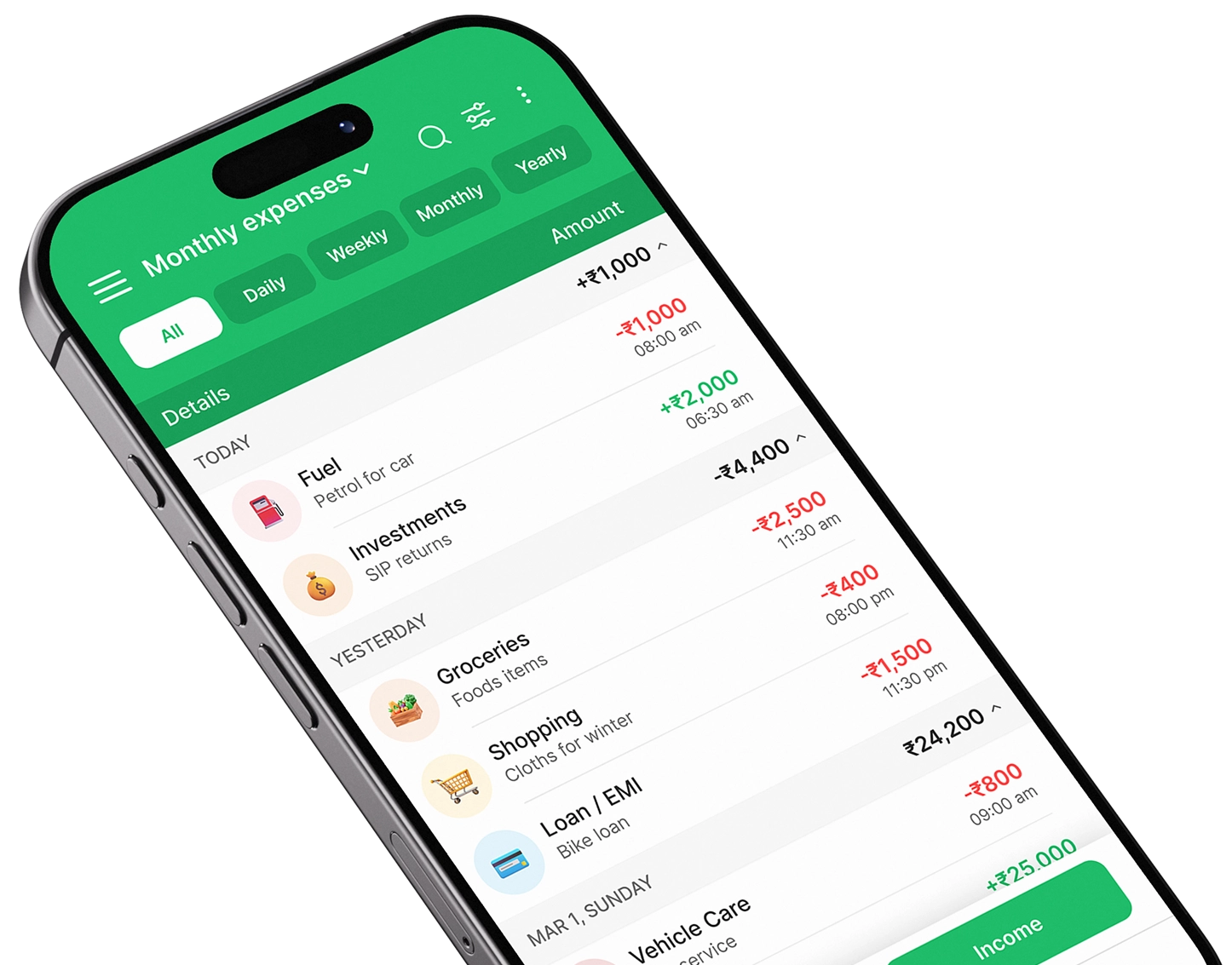
Take control of your finances
Download Expense Manager and start your smarter money journey today.


You May Also Like

What is personal finance management? A beginner’s guide