
 October 17, 2026 · Expense Manager
How to Track Daily Expenses Using an Expense Manager App
The simplest way to track daily expenses is to record each transaction soon after it happens, assign it to the right category, and review your totals regularly.
A practical routine is:
Spend → Record → Categorize → Review
You do not need to spend hours maintaining financial records.
For most people, a few seconds per transaction and a short weekly review are enough.
Step 1: Create your main accounts
Start with the places your money comes from or is spent from.
For example:
-
Personal
-
Cash
-
Credit card
-
Household
-
Business
Do not overcomplicate the setup.
Step 2: Create useful categories
Start with categories such as:
-
groceries
-
dining
-
transport
-
utilities
-
shopping
-
entertainment
-
subscriptions
-
healthcare
-
debt
-
travel
The categories should help you understand spending.
Step 3: Record transactions as they happen
Suppose you spend:
₹320 on lunch
Record:
Amount: ₹320
Category: Dining
Account: UPI
Date: today
The sooner you record it, the less likely you are to forget.
Step 4: Include cash expenses
Cash is one of the most commonly missed areas.
Do not simply record:
ATM withdrawal ₹5,000
as if it were one expense.
Record what the cash is actually used for where practical.
Step 5: Record income too
Tracking income allows you to compare:
Income vs expenses
rather than viewing expenses in isolation.
Step 6: Use recurring transactions for predictable items
Examples:
-
salary
-
rent
-
EMI
-
subscriptions
-
memberships
Step 7: Review once a day or every few days
Check:
-
missing transactions
-
wrong categories
-
duplicate entries
-
unusual spending
Step 8: Review weekly
Weekly review helps you catch overspending while there is still time to adjust.
Step 9: Review monthly
At month-end, look at:
-
total spending
-
category totals
-
highest expense categories
-
income vs expense
-
changes from last month
Using Expense Manager
Expense Manager supports quick transaction entry, multiple accounts, categories, recurring entries, voice input, receipt scanning, and reports.
For users who prefer voice entry, the current FAQ explains that a transaction can be spoken and logged through the app.
See:
https://expensemanager.app/faq
Download:
Google Play:
https://play.google.com/store/apps/details?id=com.pavansgroup.expensemanager
Apple App Store:
https://apps.apple.com/us/app/expense-manager-budget-buddy/id6744145641
Common mistakes
Waiting until night to remember everything
Record expenses as soon as practical.
Ignoring small purchases
Small repeated purchases can materially change monthly totals.
Creating too many categories
Start simple.
Forgetting cash
Track it separately.
Never reviewing the data
The point is not just recording.
It is learning.
Conclusion
Daily expense tracking becomes easier when the system is simple enough to repeat.
Use:
Spend → Record → Categorize → Review
Do that consistently, and your monthly spending picture becomes much clearer.
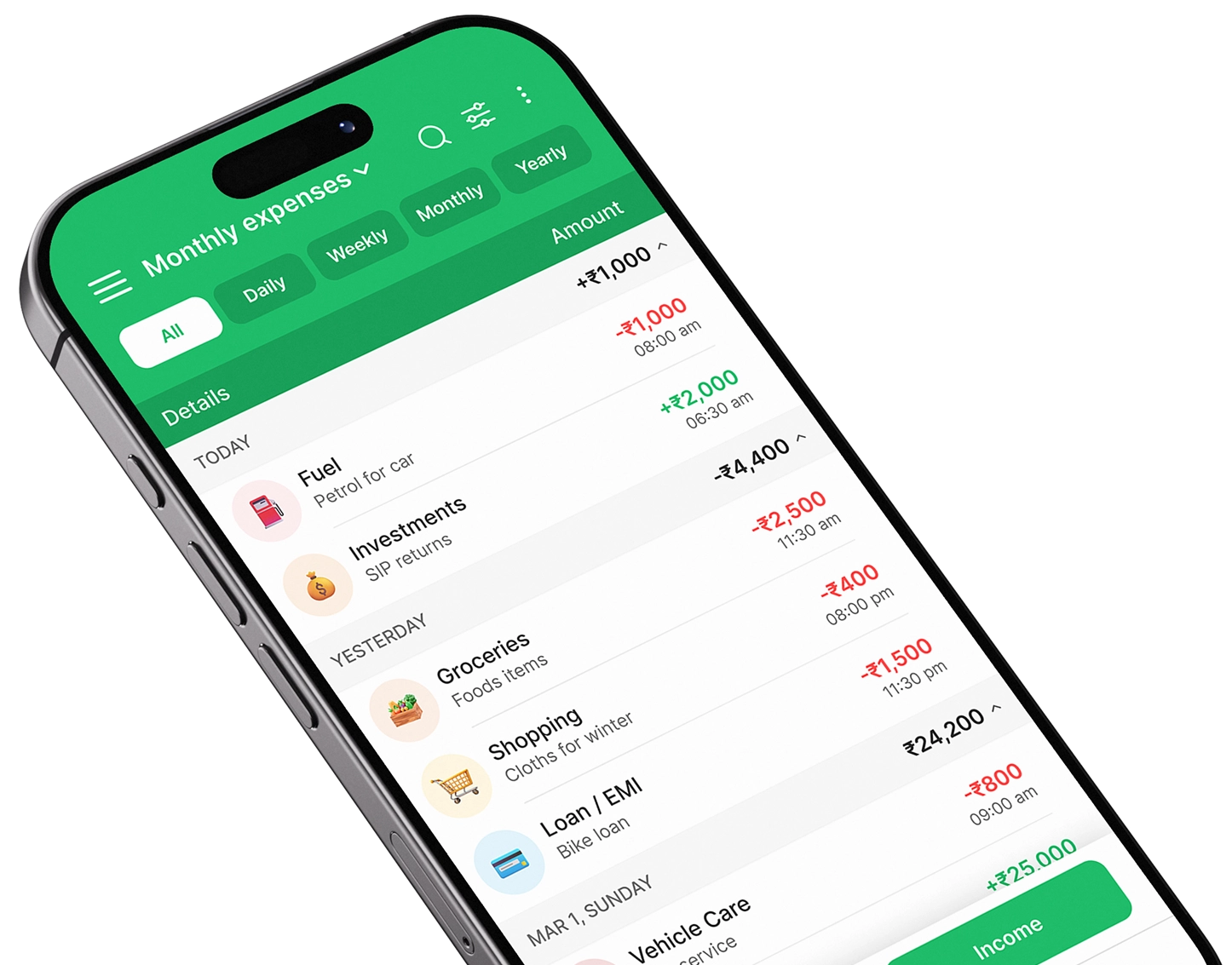
Take control of your finances
Download Expense Manager and start your smarter money journey today.


You May Also Like
Expense Manager vs Expense Tracker: What’s the Difference?

How to Choose the Best Expense Manager App for Your Needs