
 October 15, 2026 · Expense Manager
What Is an Expense Manager App? Benefits, Features & How It Works
An expense manager app is a tool that helps you record, organize, review, and understand where your money goes.
Instead of relying on memory, bank balances, or scattered transaction histories, an expense manager brings your spending into one system.
A typical app lets you record:
expenses
income
categories
payment methods
recurring transactions
budgets
multiple accounts
More capable apps may also support receipt scanning, reports, shared accounts, voice entry, or offline tracking.
The purpose is simple: turn everyday transactions into information you can actually use.
What does an expense manager app do?
At its most basic level, an expense manager answers four questions:
How much did I spend?
What did I spend it on?
Which account or payment method did I use?
How does that compare with previous spending or my budget?
For example, rather than seeing ten unrelated UPI and card transactions, an expense manager might show:
| Category | Monthly spending |
|---|---|
| Groceries | ₹8,200 |
| Dining | ₹4,800 |
| Transport | ₹5,100 |
| Shopping | ₹3,700 |
| Subscriptions | ₹1,600 |
That summary makes the underlying transactions easier to understand.
How does an expense manager app work?
Most expense manager apps follow the same basic process.
1. You record a transaction
For example:
₹650 spent on groceries
2. You assign a category
The transaction might be placed under:
Groceries
3. You choose the account or payment method
For example:
cash
UPI
credit card
bank account
4. The app stores the transaction
The entry becomes part of your spending history.
5. The app summarizes the data
You may then see:
monthly totals
category breakdowns
account balances
spending trends
budget performance
The process can be summarized as:
Record → Categorize → Analyze → Adjust
Expense manager app vs checking your bank balance
A bank balance tells you how much money is currently in an account.
It does not necessarily explain:
how much went toward groceries
how much was spent through cash
which subscriptions renewed
whether dining increased
how much was spent across several accounts
whether you stayed within a budget
An expense manager is designed around classification and analysis rather than simply showing transactions.
Main benefits of an expense manager app
Better spending visibility
When expenses are categorized, patterns become easier to see.
You may discover that your largest flexible expense is not shopping, but food delivery.
Easier monthly review
Instead of manually adding transactions at month-end, an app can organize the information throughout the month.
More realistic budgeting
Historical spending helps you create budgets based on actual behaviour.
Multiple accounts in one place
Some apps allow separate personal, household, travel, business, or credit-card accounts.
Better records
Notes, receipts, dates, categories, and payment methods can create more useful transaction histories.
Faster decision-making
If a category is already close to its monthly limit, you can adjust before the month ends.
Important features to look for
Useful features include:
quick income and expense entry
custom categories
subcategories
multiple accounts
monthly reports
search and filtering
recurring transactions
budget tracking
data export
receipt scanning
offline access
shared accounts where needed
The right feature set depends on how you manage money.
A student may need only quick daily expense tracking.
A freelancer may need separate business and personal accounts.
A household may value shared accounts.
What is the difference between an expense manager and a budget planner?
An expense manager primarily helps you understand what already happened.
A budget planner helps you decide what should happen.
For example:
Expense manager:
You spent ₹6,200 on dining.
Budget planner:
You planned to spend ₹4,000.
When the two functions work together, you can compare:
Plan vs actual
Many modern personal finance apps combine both.
Who can use an expense manager app?
Students
Useful for tracking:
food
transport
subscriptions
entertainment
education costs
Salaried professionals
Useful for:
monthly budgeting
savings planning
recurring expenses
household spending
Freelancers
Useful for separating:
business expenses
personal expenses
client-related costs
software subscriptions
Families
Useful for:
groceries
utilities
education
healthcare
shared household spending
Small businesses
A basic expense manager can also help record routine operational expenses, although businesses with accounting, GST, payroll, invoicing, or approval requirements may need dedicated accounting or expense-management software.
What Expense Manager offers
Expense Manager is designed as an expense tracker and budget planner for personal, household, freelance, and everyday financial tracking.
Current features documented on the Expense Manager FAQ include:
income and expense tracking
custom categories and subcategories
multiple accounts
recurring transactions
receipt scanning
voice transaction entry
shared accounts
reports
PDF and Excel exports
offline functionality for supported features
Download Expense Manager
Android:
https://play.google.com/store/apps/details?id=com.pavansgroup.expensemanager
iPhone:
https://apps.apple.com/us/app/expense-manager-budget-buddy/id6744145641
Frequently asked questions
What is an expense manager app in simple words?
It is an app that records and organizes your income and expenses so you can understand where your money goes.
Is an expense manager the same as an expense tracker?
The terms are often used interchangeably. An expense manager may offer broader tools such as accounts, budgets, reports, recurring entries, or exports in addition to basic expense tracking.
Do I need an expense manager app?
No. You can track expenses using a notebook or spreadsheet. An app can make the process faster and easier to maintain.
Can an expense manager help me save money?
It cannot save money automatically. It can show where you spend money, making it easier to identify areas you may want to reduce.
Can I track income too?
Many expense manager apps support both income and expenses.
Conclusion
An expense manager app turns everyday transactions into a clearer financial picture.
It helps you record spending, organize categories, review accounts, compare monthly patterns, and make more informed budgeting decisions.
The biggest benefit is not simply having another finance app.
It is knowing where your money actually goes.
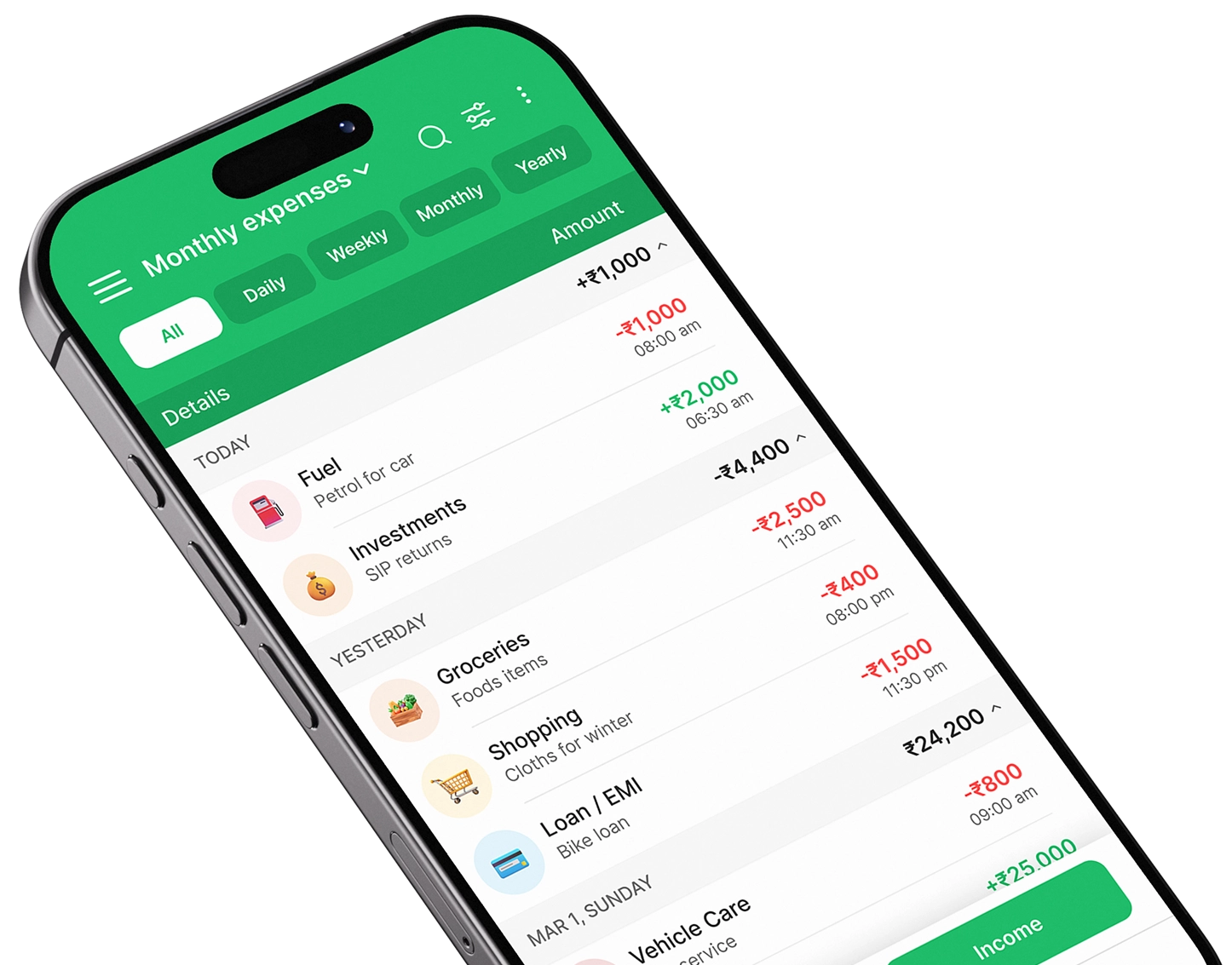
Take control of your finances
Download Expense Manager and start your smarter money journey today.


You May Also Like
Expense Manager vs Expense Tracker: What’s the Difference?

How to Track Daily Expenses Using an Expense Manager App